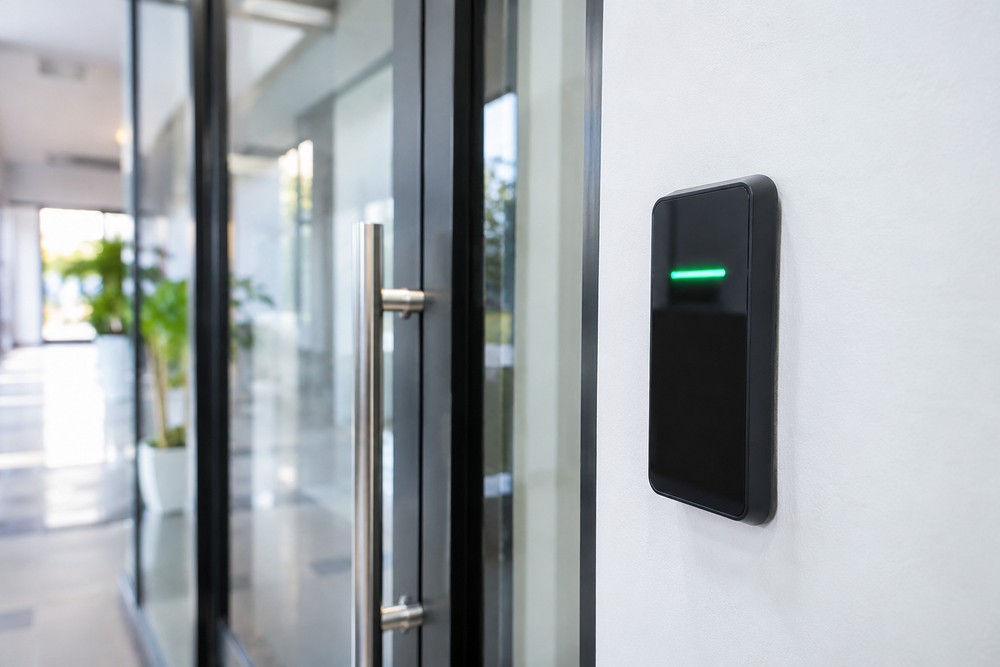
Electronic access control replaces metal keys with cards and phone credentials that a manager can control from a desk. For property managers juggling tenants and trades, that cuts key chores and late-night callouts.
Why physical keys eat into management time
Managers know the pattern. A tenant loses a key. A cleaner quits and never returns a copy. Each event means phone calls and key cutting, plus worry about who can still get in.
Traditional key management never stays still. Keys get copied at hardware stores without permission. Spares go missing in drawers and lockboxes. Labels fade, records become outdated, and no one knows how many copies exist for a storeroom or side gate. Rekeying becomes the only way to reset control.
Rekeying costs more than changing a digital setting because it is physical work. A locksmith travels to site, pulls cylinders, repins or swaps parts, cuts new keys and distributes them. Tenants must collect keys or meet on site. With several doors on one key system, the work spreads fast.
Electronic credentials work differently. A card or code is tied to a user record in software. When access needs to end, that record is turned off. No cylinder has to be pulled for every change, reducing repeat admin around lost keys and staff moves.
Keys rarely vanish in a day. Many sites keep metal keys alongside electronic readers during a changeover. Plant rooms or gates may stay keyed while main entries go digital. The point is less time chasing brass, not zero keys from the start.
Turn off access when people move on
Turnover is where key systems hurt most. Tenants leave, roommates change, employees quit, and managers are left requesting keys back. Returns are patchy. People forget or claim loss. Copies stay in circulation long after a lease or job ends.
Keyless entry systems make that process easier. A departing tenant or worker has a unique code or card, which is deactivated once the move-out or exit process is complete. Deactivation needs to account for valid authorization and applicable tenancy or employment procedures. Clear approval responsibilities and a record of the request support that process.
There is a catch. Networked readers often update quickly, while offline or battery-powered locks may need syncing through a hub, a phone update or a scheduled check-in. That delay matters.
Shared codes add another limit. A PIN given to two cleaners is no longer unique to one person. Cards can be lent or lost like keys. Credentials reduce turnover admin, but can’t prevent sharing alone. Good habits still count: one credential per person, with short life spans for temporary codes and prompt shutoff when someone leaves.
For strata and multi-tenancy buildings, this helps keep common areas running smoothly. Gyms, pools, parking gates and bin rooms can stay open to current residents while past residents drop off automatically. Facility management teams don’t need to collect piles of fobs at each move.
See credential activity without guessing
Metal keys leave no record. If something goes missing from a storeroom, there is no way to tell which key opened the door. Guesses replace facts, and disputes drag on.
An audit trail gives managers a clearer record. The system logs which credential was used at which reader and when. That shows credential activity, not proof of identity or physical presence. A card could have been lent. Someone could have followed another person through. Logs provide evidence about credential use rather than a camera-style record of who entered.
Still, that record helps daily. If a cleaner claims a 6 pm visit, the log can show whether that credential was presented there near that time. If a tenant reports a door left open overnight, the log can show recent credential events at that door. Access reports also document shared amenity entry when questions arise about use or damage.
Privacy and retention need care. Logs hold personal movement data, making restricted access for authorized managers important. A retention policy can set periods for keeping records and clearing old data. Tenants and staff should know entry events are logged and who can view them. A short written policy avoids surprises.
Logs don’t see faces.
Biometric locks often come up here. Fingerprint or face readers tie a credential closer to one person than cards do, suiting high-security rooms in some offices or warehouses. They cost more, need careful setup for light and placement, and require clear data storage rules. Most properties reserve them for higher-risk areas, with cards or phones elsewhere.
What to look for in a supplier and support plan
Hardware is only half the job. Setup and user training matter alongside spare parts and fast help when readers fail. Property managers should prioritize suppliers offering supply and installation with ongoing maintenance and device management support.
Perth property managers seeking these upgrades should source access control systems Perth from a licensed local specialist that handles supply and installation with ongoing maintenance and device management support.
A good installer starts with a site walk, not a quote from photos. Door types, frame condition, power points, network coverage and fire egress paths shape the choice between wired readers and wireless locks. A storeroom and glass lobby door don’t take the same gear. A short-term rental with high guest churn needs a different setup from an office with tiered staff zones.
Ask how the system behaves during faults. What happens during power or network loss? How do offline locks receive updates? What battery backup exists, and who swaps cells? Fire egress and accessibility requirements need consideration at each door. Admin accounts and software updates also affect digital security. Product capabilities vary, so model-specific fault planning and a simple building emergency plan matter.
Service terms deserve the same attention as price. Who answers after-hours calls? How fast are faulty readers swapped? Remote support for credentials and schedules matters, as do supplier records of doors, users and wiring for future work. A cheap install without backup turns costly when a failed reader blocks cleaners on a weekend.
Handle cleaners, trades and late arrivals without extra trips
After-hours access eats evenings. A cleaner arrives after a code change. A plumber needs the plant room at 9 pm. A tenant is locked out and wants help now. Driving out burns time and fuel, and frequent locksmith callouts add up.
Remote management trims some trips. Many systems let an authorized manager check door status and release a lobby or common door from an app or dashboard. Temporary access can run for a set window, then expire automatically. That suits cleaners with fixed shifts and contractors with one-day jobs.
Results depend on setup. Remote release needs power, a network path and correct permissions for whoever clicks unlock. Some doors should never open remotely for safety reasons, including pool gates or high-risk plant areas. Managers should agree which doors allow remote release and which need someone on site. Emergency services access belongs in that plan, rather than being improvised during an incident.
Working remote tools reduce some after-hours callout fees and site visits. They don’t replace locksmiths entirely. Failed hardware, damaged doors, flat wireless lock batteries and network faults still need hands on site. The gain is fewer routine trips, not zero maintenance.
Time-limited credentials help most with visitors. A guest code running Friday to Sunday can’t be reused the next week. A contractor PIN tied to work hours won’t open a building at midnight. Short windows reduce lingering codes, though managers still need to check expiry settings and whether codes were shared.
Fit the system to offices, strata blocks and short stays
One size never fits property work. Offices need tiered access by role, letting staff enter lobbies and their floor while server rooms stay closed. Warehouses need wide gates for delivery windows and locked stock cages. Strata complexes need common doors serving many households without giving everyone a master set. Short-term rentals need fast guest turnover without key handovers.
Scalability makes electronic systems useful for mixed portfolios. New users and doors can be added through software without replacing all hardware, within the chosen panel and locks’ limits. A small block can start with two common doors and add storage areas later. An office can add a meeting wing without reissuing everyone’s keys.
Short stays show the value clearly. Hosts can send a mobile credential or temporary PIN before check-in and cancel it at checkout. That removes lockboxes and key handover meetings, along with rekeying after guests leave copies behind. Mobile credentials suit guests who already carry phones, though hosts should keep a backup for dead batteries and app issues.
Wireless and mobile options ease some older-building retrofits by reducing cabling and drilling. Battery-powered locks and phone-based readers can fit doors where wiring is costly. Battery swaps, signal range and lock strength involve trade-offs, so choices should follow door-by-door checks rather than a blanket rule.
Link doors with intercoms, cameras and alarms
Integration connects entry with wider security systems where products allow it. An intercom can release a lobby door after a tenant answers. A camera can mark footage when a set credential opens a side gate. An alarm can remain armed in zones outside a booking. Not every reader works with every camera or intercom network, making model-by-model compatibility checks important.
Keep connected locks patched and controlled
Connected locks need the same care as other office tech. Admin passwords should be strong and unique. Software and firmware need scheduled updates, and old admin accounts need closing when staff change. Networked panels should sit behind sound network controls with limited remote rights. These steps don’t make systems attack-proof, but reduce easy digital security gaps missed on busy sites.
Don’t prop doors to test schedules or airflow. Propped doors defeat logs and alarms and wear closers. If testing is needed, ask the installer about a safe test mode or supervised check that keeps records intact.
Electronic access control pays off by reducing repeat tasks: fewer key hunts, faster exits for old users, clearer credential records, and fewer routine after-hours trips. Start with high-churn doors, keep backup plans for power and network faults, and build out from there.