From Patchwork Stations to Fluid Work Zones
Quilt-like desks were once made. A charger here, a hub there, a dangling adapter just in case. Modern labor patterns indicated a different demand in that cloth. The desk is now an area people enter and exit, requiring timely assembly. Single-cable desks fit this rhythm. They make the desk responsive by compressing setup into a gesture.
A cable in this context is less a cord and more a key. It starts the engine of displays, storage, audio, networking, and power. That sense of ignition is why single-cable desks feel so different. They do not simply connect devices. They restore a complete working state without ceremony.
What One Cable Must Carry Today
Modern single-cable links work. It powers the computer, transports high-bandwidth video, low-latency peripherals, and sustained data transfers. This mix only works when standards match. USB-C with DisplayPort Alt Mode and USB Power Delivery is standard on many computers. High-end configurations use Thunderbolt or USB4 for dual monitors and quicker storage.
Power matters as much as bandwidth. Computers drain while working if the cable and dock don’t offer adequate electricity. The desk looks connected but works like a battery treadmill. Higher refresh rates and 4K displays require more throughput. Cables and docks must fit those criteria to avoid lower resolutions, stutters, and unpredictable wake behavior.
Single-cable desks are built on handshake reliability. The moment the connector clicks into place, power negotiation, display enumeration, and device reconnection all happen in sequence. Smooth handshakes feel invisible. Rough ones are the source of the morning shrug and the nightly sigh.
The Five-Second Ritual That Sets the Pace
Every return to the desk has a micro-ritual. Chair, lid, cable, screens. When that cycle takes five calm seconds, momentum carries forward. When it snags on inconsistent behavior, attention fragments. Humans notice the seams. They feel the latency between intent and action.
A single wire makes this procedure virtually muscle-memory. The dock turns on, the monitor wakes up, the pointer returns, and fans and mechanical keys resume. The desk becomes a continuation space rather than an assembly area. No work begins again. It continues from where it stopped.
Visual Calm is Cognitive Bandwidth
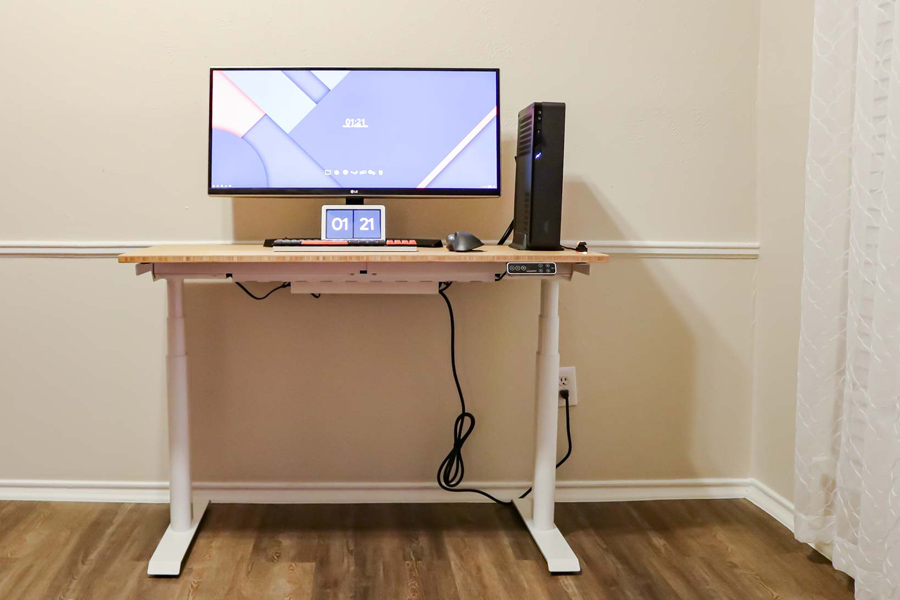
Clutter goes beyond appearance. Just cognitive noise. Cable coils, loose dongles, and redundant chargers serve as constant reminders. Tangled cables are hidden by single-cable workstations. Most cords end behind or beneath the display, but the laptop has one clean line.
This is not minimalism for its own sake. Visibility influences cognitive speed and comfort. Surfaces are finished when just one plug interacts. The setup feels like a tool, not a project. Sitting at the desk does not require the mind to re-parse it.
Reliability is the Hidden Feature
The magic of single-cable systems is consistency. That magic hinges on nuances rarely seen in product headlines. Cable quality affects signal integrity. Device enumeration and sleep differ by platform, therefore dock firmware important. Heat management is important because sustained throughput and charging stress a small hub.
When these details align, the experience fades into the background where it belongs. When they do not, the chain fails at its weakest link. Random black screens, slow storage mounts, or jittery pointing devices break trust. The best desk is the one that never asks to be explained.
Designing a Single-Cable Desk That Actually Works
A single-cable desk is not a glossy photograph. It is a system with constraints. Displays set bandwidth requirements. Laptops set power budgets. Peripherals set latency and driver considerations. The dock or hub becomes the traffic director that must keep everything moving without collisions.
Well-matched configurations maintain power and data reserves. High bandwidth equipment go through the dock’s quicker connections, while lower priority gear uses slower channels. Longer cables can reduce signal stability. Wireless receivers are placed near metal monitor arms and extensive cabling to reduce interference. They match OS sleep settings with dock behavior to prevent monitor disconnections during brief pauses.
None of this needs to look complicated. The complexity sits behind the scenes so that the surface can stay simple. The result is a desk that behaves like a single instrument rather than a collection of parts.
For Teams and IT: Why Hot Desks Need One Plug
Shared workspaces live or die on transition. In offices with hoteling, desks must function as neutral territory that becomes personal in seconds. A single-cable standard is a bridge for that transformation. It reduces training, shrinks onboarding time, and lowers support overhead because the ritual is identical at every station.
Standardization has secondary advantages. Docks and wires with the same specs simplify asset tracking. Wired networking is automatically included in the handshake, making security easy to enforce. Desk turnover is faster since success is clear when the primary display glows.
Mobility Without Resetting Your Brain
Laptops make movement easy. The challenge appears when returning to a desk feels like starting over. Single-cable desks tame that cycle. The same timeline repeats across environments. Plug in, restore state, continue. The brain does not need to renegotiate a different process for each location. This consistency is especially valuable for professionals working in remote jobs usa, where switching between home offices, coworking spaces, and temporary work locations is often part of the daily routine.
Travel routines can mirror this pattern. A small travel dock with enough power and a single display output keeps the cadence alive in hotel rooms and client sites. The sequence stays familiar. The computer behaves predictably. Continuity beats novelty when the goal is steady output.
Sustainability and Power Use
Efficiency-charging desks save energy. Charge and discharge cycles with high loads are avoided using a dock that matches the laptop’s power usage. Under low power, batteries should not oscillate around full. Predictable sleep and wake displays reduce power spikes and device scans.
A single cable centralizes control. Measure and adjust power delivery once. Instead of a hodgepodge of chargers and adapters that draw power on their own schedules, dock firmware can control idle ports. Over months of everyday use, little gains pile up.
FAQ
Can one cable support dual 4K displays and fast storage at the same time?
It depends on connection type and dock lane allocation. Thunderbolt and many USB4 implementations can handle twin 4K displays and high-speed storage, whereas USB-C with DisplayPort Alt Mode may only support one 4K stream with modest data. Internal dock architecture influences video/data bandwidth sharing.
How much power delivery is enough for a laptop on a single-cable desk?
Many ultraportables run comfortably on 65 to 100 watts, while performance laptops often benefit from 100 to 140 watts to avoid slow battery drain under load. The right value is the one that matches or exceeds the laptop’s maximum draw during intensive tasks, not just its idle or light use figures.
Do cable length and quality really affect stability?
Yes. Longer cables and poorly shielded cables increase the chance of signal degradation, flaky display links, or intermittent device disconnects. Certified high bandwidth cables with adequate power pins maintain cleaner handshakes and reduce wake from sleep quirks.
What is the practical difference between a hub and a dock in this context?
Hubs extend a few ports and rely on the laptop for most tasks, whereas docks manage displays, power delivery, networking, and many peripherals. Docks give more consistency and power headroom for single-cable desks that replace desktops.
Why do some single-cable setups have trouble waking displays from sleep?
After sleep, the laptop, dock firmware, and display negotiate link training, causing wake difficulties. Different timing, hot plug detection sensitivity, and power save thresholds can cause issues. Changing dock and monitor firmware and sleep settings usually improves consistency.
Is a KVM switch still useful with a single-cable desk?
A KVM remains useful when two computers share the same displays and peripherals. Some docks include host switching that mimics KVM behavior over a single cable per computer. Whether an external KVM is needed depends on how often machines are swapped and how quickly that handoff must occur.
How future proof is a single-cable desk built on USB4 or Thunderbolt today?
Modern USB4 and Thunderbolt implementations support high-resolution displays, rapid external storage, and reliable power delivery. New versions increase bandwidth, but a well-specified dock and cable set lasts for years, especially when monitors and peripherals and data needs are met.
Does staying connected to power all day harm the laptop battery?
Most current laptops automatically store charge near a threshold and prevent cycles. Regular dock power delivery reduces partial discharge under load, which is healthier than fluctuating about full owing to inadequate wattage. OS battery health settings can further reduce peak charge levels when the laptop is usually used at a desk.