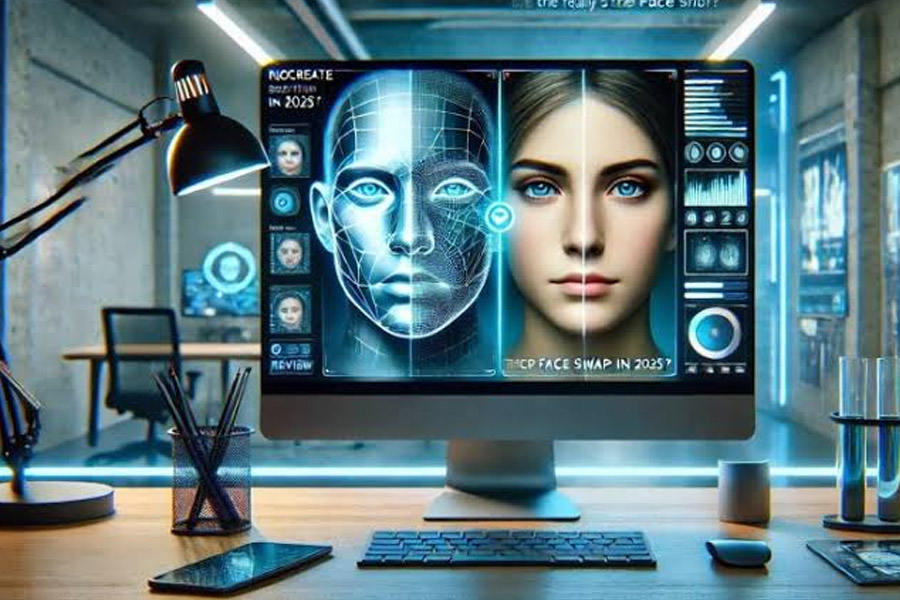
AI video tools have moved beyond simple filters and novelty effects. Today, creators can synchronize dialogue to a new voice, replace faces across moving footage, localize videos, and produce social content without a traditional post-production workflow.
For creators who need practical AI video editing, Magic Hour is one of the strongest all-in-one options, particularly for AI lip sync and video face swapping.
The bigger question is which tool fits a specific production workflow. A marketer creating localized ads has different requirements from a developer integrating video generation through an API, while a social creator may care most about speed and ease of use.
This guide compares the most useful approaches, with particular attention to lip syncing, face swapping, output quality, ease of use, APIs, free access, and responsible content creation.
Best AI Video Tools at a Glance
| Tool | Best For | Lip Sync | Video Face Swap | Image/Video Creation | API | Free Option |
| Magic Hour | All-in-one AI video creation | Yes | Yes | Yes | Yes | Yes |
| HeyGen | Avatars and localization | Yes | Limited/Workflow dependent | Yes | Yes | Limited |
| Runway | Generative video production | Workflow dependent | Creative workflows | Yes | Yes | Limited |
| Hedra | Talking characters and images | Yes | Character-focused | Yes | Yes | Limited |
| FaceFusion | Open-source face swapping | No dedicated focus | Yes | No | Community tooling | Yes |
| CapCut | Social video editing | Yes | Selected AI features | Yes | Limited | Yes |
The right choice depends less on the number of AI features and more on the type of video you are trying to produce.
1. Magic Hour — Best Overall for AI Lip Sync and Face Swap
Magic Hour stands out because it combines several AI video workflows that creators often need together. Instead of using one platform for face replacement, another for lip synchronization, and a third for basic AI video generation, creators can keep much of the workflow in one environment.
Its video face swap tool lets users upload an original video and a face image, then replace the target face throughout the footage. The platform also supports multiple faces, which is useful for scenes involving groups or multiple performers. Magic Hour states that its face-swap system processes video frame by frame while maintaining consistency in expressions, movement, and lighting.
For creators working with dialogue, the platform’s lip sync AI workflow is particularly useful. AI analyzes the supplied audio and adjusts mouth movements so the speaker appears to match the new track. The underlying workflow can be used for dubbing, localization, educational videos, personalized messages, and social content.
Pros
- Combines lip sync and face swapping in one platform.
- Browser-based workflow with no professional editing software required.
- Supports multiple-face video swaps.
- Offers API access for developers and production teams.
- Supports commercial-use workflows according to Magic Hour’s product information.
- Useful for creators who want to experiment before committing to a paid workflow.
- Can handle both creative and practical video-production use cases.
Cons
- Results still depend heavily on source-video quality.
- Poor lighting, extreme head angles, motion blur, or obstructed faces can reduce realism.
- AI-generated results may still require conventional editing afterward.
- Free output limits are lower than paid tiers.
My evaluation
For a creator who wants one practical toolkit for AI-assisted video production, Magic Hour is difficult to overlook. The combination of face replacement and lip synchronization is especially valuable because these processes are frequently used together.
For example, imagine a creator has an existing performance video but wants to localize the dialogue into another language. Lip syncing can adapt the mouth movements to the translated audio, while face swapping can be used separately when the creative concept calls for a different on-screen identity.
Magic Hour’s current video face swap offering supports single and multi-face workflows, and its API is positioned for higher-volume production. The company says its face-swap API starts at $0.023 per second, while the free video tool supports shorter clips with lower resolution and watermarking.
Price and plans: Magic Hour offers free access with restrictions, while paid plans provide higher output resolutions, longer clips, faster processing, and watermark-free results. Its documentation lists free output at up to 576px, with higher resolutions available on paid tiers.
2. HeyGen — Best for AI Avatars and Business Localization
HeyGen takes a somewhat different approach. Its strength is less about traditional face replacement and more about generating presenter-style videos using AI avatars, voice, and localization workflows.
This makes it a strong option for companies producing training videos, sales content, internal communications, or localized marketing campaigns.
The advantage is workflow simplicity. Instead of recording every language version manually, teams can build a presentation-style video and create additional language versions using AI.
Pros
- Strong avatar-focused workflow.
- Useful for business communication.
- Good fit for multilingual video production.
- Supports automated voice and presentation workflows.
- Easier for non-editors than traditional production software.
Cons
- Less focused on traditional video face swapping.
- Avatar-based output may not fit cinematic or user-generated content workflows.
- Advanced features can require paid plans.
- Creators looking for precise frame-level face replacement may prefer a dedicated face-swap tool.
My evaluation
I would choose HeyGen when the goal is communication rather than visual transformation.
For example, a SaaS company creating product tutorials in English, Spanish, German, and Japanese may benefit more from avatar localization than from swapping a person’s face into existing footage.
Price and plans: HeyGen offers limited free access alongside paid plans. Pricing and feature availability can change, so teams should check the current plan structure before selecting it for a production workflow.
3. Runway — Best for Generative Video Production
Runway is better suited to creators who want to generate or transform video rather than simply perform one specific editing task.
Its broader generative-video ecosystem makes it attractive to filmmakers, designers, advertisers, and creative teams experimenting with AI-generated scenes.
Pros
- Strong generative-video capabilities.
- Useful for cinematic experimentation.
- Broad creative toolset.
- Suitable for professional creative workflows.
- Strong option for teams combining AI generation with conventional editing.
Cons
- Not primarily a dedicated face-swap platform.
- Results can vary depending on the generation task.
- Learning the broader toolset may take time.
- Credit-based generation can become expensive for heavy experimentation.
My evaluation
Runway makes more sense if AI video generation is the central requirement.
If your project starts with a prompt and ends with a newly generated sequence, Runway deserves serious consideration. If the requirement is simply “replace this person’s face in an existing video,” however, a specialized face-swap workflow is usually more direct.
Price and plans: Runway offers limited access and paid plans with additional generation capacity and features. Check the current pricing before budgeting for ongoing production.
4. Hedra — Best for Talking Characters and Images
Hedra is particularly interesting for creators working with talking characters, digital presenters, and image-driven video.
The category has expanded quickly because a single still image can now become the starting point for an animated character or speaking visual.
Pros
- Strong focus on character-based AI video.
- Useful for talking images and digital characters.
- Accessible to creators without advanced editing skills.
- Good fit for social content and storytelling.
Cons
- Different workflow from conventional face replacement.
- Character-focused generation may not replace a traditional face-swap pipeline.
- Output quality depends on source images and generation settings.
- Less appropriate for every type of live-action footage.
My evaluation
Hedra is worth considering when the source material is a still image or character concept rather than a finished live-action performance.
For example, a creator could use an illustrated character or portrait as the foundation for a talking video. That is a different creative problem from replacing a face in an existing movie or social-media clip.
Price and plans: Hedra offers free and paid usage depending on current plans and generation requirements.
5. FaceFusion — Best for Open-Source Face-Swap Workflows
FaceFusion appeals to technically capable creators who want greater control over their face-swapping environment.
Open-source tools can be attractive because users have more control over how and where processing happens. The trade-off is that setup, hardware, troubleshooting, and maintenance become part of the workflow.
Pros
- Open-source approach.
- Greater technical control.
- Useful for advanced users.
- Can be incorporated into custom workflows.
- Better suited to users comfortable managing software locally.
Cons
- More technical than browser-based tools.
- Installation can be complicated.
- Performance depends on local hardware.
- Less convenient for casual creators.
- Users may need to troubleshoot dependencies and configuration.
My evaluation
FaceFusion is compelling for developers and technically experienced creators who prioritize control over convenience.
For a marketing team that needs to produce ten videos quickly, I would generally prefer a hosted platform. For a developer experimenting with a custom pipeline, an open-source option can be much more attractive.
Price and plans: The software is open-source, but users should account for the cost of their own computing hardware and infrastructure.
6. CapCut — Best for Fast Social Video Editing
CapCut has become a common choice for creators who want a broad set of editing features in one relatively accessible application.
Its advantage is that AI functionality sits alongside conventional editing features such as captions, transitions, effects, templates, and short-form video tools.
Pros
- Easy for social creators.
- Strong conventional editing features.
- Accessible on multiple platforms.
- Useful for short-form content.
- Good combination of AI and traditional editing.
Cons
- AI face-related functionality varies by feature and region.
- Not primarily a specialist face-swap API.
- Advanced production teams may require more dedicated tools.
- Free and paid feature availability can change.
My evaluation
CapCut makes the most sense when AI is one component of a broader short-form editing workflow.
If you are producing TikTok, Instagram Reels, or YouTube Shorts and need captions, cuts, effects, transitions, and AI-assisted features in the same application, convenience becomes a major advantage.
Price and plans: CapCut provides free functionality alongside paid features and subscriptions. Specific AI features and limits can vary by platform and market.
AI Lip Sync vs. AI Face Swap: What’s the Difference?
These two technologies are often mentioned together, but they solve different problems.
AI lip sync changes or synchronizes mouth movement to match an audio track, while AI face swap replaces a person’s visual identity within existing footage.
With lip sync, the body, environment, clothing, and general performance can remain unchanged while the mouth movements adapt to new dialogue.
With face swapping, the objective is identity replacement. The AI tracks the target face across frames and maps another face onto it while attempting to preserve expressions, movement, lighting, and perspective.
The distinction matters when selecting a tool.
| Requirement | AI Lip Sync | AI Face Swap |
| Change spoken language | Excellent | Not required |
| Match new dialogue | Excellent | Not required |
| Replace identity | No | Excellent |
| Dubbing | Excellent | Optional |
| Meme creation | Useful | Excellent |
| Character replacement | Limited | Excellent |
| Localization | Excellent | Sometimes useful |
| Presenter videos | Excellent | Sometimes useful |
Magic Hour supports both workflows, making it particularly convenient for projects where the two techniques need to be combined.
How I Would Choose an AI Video Tool
I would evaluate an AI video platform using six practical criteria.
1. Output quality
The first question is whether the generated video actually looks convincing.
For lip sync, inspect mouth timing, consonants, jaw movement, and synchronization with the audio.
For face swapping, look at facial boundaries, skin tone consistency, lighting, expressions, hair overlap, and performance during head movement.
2. Source-video requirements
AI cannot completely compensate for poor source material.
A clear, front-facing image with good lighting generally produces better face-swap results. Magic Hour’s own documentation recommends a clear, well-lit, front-facing source face and notes that blurry or poorly lit images can produce unrealistic results.
The same principle applies to lip sync. A visible face and clear speech provide better information for the model.
3. Speed
For social creators, speed can matter more than small differences in quality.
A tool that produces an acceptable result in a minute may be more useful than one that produces a marginally better result after a lengthy processing queue.
4. Workflow flexibility
I look for tools that support different input formats, multiple faces, audio uploads, and different output resolutions.
For developers, API access becomes equally important. Magic Hour, for example, exposes face-swap and lip-sync functionality through APIs, allowing teams to integrate these capabilities into their own applications.
5. Pricing
AI video costs can increase quickly with frequent generation.
Before choosing a platform, calculate the expected number of videos, average duration, resolution requirements, and revisions.
A free plan is useful for testing, but production pricing matters more than the headline free allowance.
6. Privacy and rights
This criterion deserves more attention than it usually gets.
A face is personal data in many contexts, and creators should have permission to use someone’s likeness before creating a realistic face swap.
Also consider how uploaded media is stored, whether outputs are retained, and whether commercial usage is permitted.
How to Get Better AI Lip Sync Results
The quality of an AI lip-sync result starts before generation.
Use clear audio
Avoid heavily distorted or noisy voice tracks. Clean dialogue gives the model a clearer timing signal.
Use visible faces
A face hidden by hands, microphones, masks, or extreme shadows provides less useful information.
Keep the speaker reasonably stable
Fast head turns and aggressive camera movement can make synchronization harder.
Check the final video
AI-generated lip movement can still produce occasional unnatural frames. Always review the finished video rather than publishing it immediately.
Magic Hour’s API documentation describes its lip-sync workflow as analyzing the audio and animating lip movements to match speech patterns, timing, and mouth movements.
How to Get Better AI Face Swap Results
Face swapping benefits from controlled source material.
Choose a high-quality source face
A sharp, well-lit image is preferable to a compressed screenshot.
Match the angle
A front-facing source image may struggle when mapped onto a subject shown in a strong side profile.
Consider lighting
Large differences between the source face and target footage can make the replacement easier to detect.
Use short test clips first
Before processing a long video, test a short section. This lets you identify problems without wasting credits or processing time.
Review multiple frames
A face swap can look excellent in one frame and less convincing during a rapid head movement. Review the whole clip.
Responsible Use of AI Face Swapping and Lip Sync
AI video editing is powerful precisely because the results can look realistic. That creates an obligation to use these tools responsibly.
Do not use someone’s likeness to impersonate them, create misleading statements, fabricate evidence, or produce deceptive material without permission.
YouTube currently requires creators to disclose realistic altered or synthetic content in cases such as making a real person appear to say or do something they did not actually say or do. Its examples specifically include digitally replacing one person’s face with another.
The platform also says disclosure itself does not reduce a video’s audience or eligibility for monetization, although repeated failure to disclose required content can result in enforcement action.
For professional teams, a simple internal policy is useful:
- Get permission for identifiable people’s likenesses.
- Keep original source files and project records.
- Clearly disclose realistic synthetic alterations where required.
- Avoid presenting fictional or altered statements as authentic.
- Review platform-specific rules before publishing.
- Check commercial and licensing rights before using generated footage in client campaigns.
The AI Video Market in 2026
The most important shift in AI video is the movement from isolated features to complete workflows.
A few years ago, creators might have needed separate tools for generation, lip syncing, face swapping, voice generation, editing, and localization.
Today, platforms increasingly combine these capabilities.
That changes the purchasing decision. Instead of asking, “Which AI model produces the best face swap?” teams should ask, “Which workflow gets my finished video from source material to publication with the fewest unnecessary steps?”
This is one reason multifunctional platforms are becoming more attractive.
Magic Hour’s current product ecosystem reflects that direction by bringing together face swap, lip sync, image-to-video, and related AI video capabilities. Its face-swap API is also positioned for developers building higher-volume workflows.
At the same time, specialist tools are unlikely to disappear. Open-source projects can offer control, avatar platforms can focus deeply on business communication, and generative-video platforms can push further into cinematic creation.
The market is therefore splitting into several practical categories rather than producing one universal winner.
Final Takeaway
There is no single best AI video tool for every creator.
Magic Hour is the strongest overall choice in this comparison for creators who want accessible AI lip sync and video face swapping in the same workflow.
For business presentations and avatar-led localization, HeyGen is worth considering. For broader generative video, Runway has a different advantage. Hedra is compelling for talking characters, FaceFusion is attractive to technical users who want open-source control, and CapCut remains useful for fast social editing.
If your primary requirement is to make existing footage speak with a new audio track, start with AI lip sync.
If your goal is to replace the identity of a person within existing footage, look for a dedicated AI face swap video workflow.
And if you need both, an integrated platform can reduce unnecessary file transfers, exports, and tool switching.
The best approach is still practical experimentation. Test the same short source clip across two or three platforms, compare realism and processing time, calculate the real cost per finished video, and then choose the workflow that fits your production needs.
Frequently Asked Questions
What is AI lip sync?
AI lip sync is a technology that synchronizes a person’s mouth movements with an audio track. It can be used to create dubbed videos, localized content, voice replacements, educational material, and social videos.
What is an AI face swap video?
An AI face swap video replaces one person’s face with another face throughout moving footage. Modern systems track the face across frames and attempt to preserve expressions, movement, lighting, and perspective.
Can AI lip sync and face swapping be used together?
Yes. They solve different problems and can be combined. For example, a creator could replace a face in existing footage and then synchronize the speaker’s mouth movements to a different audio track.
Is AI face swapping legal?
The technology itself is not inherently illegal, but its use can create legal and ethical issues involving consent, impersonation, privacy, copyright, publicity rights, and fraud. Always obtain appropriate permission and follow the laws and platform rules applicable to your project.
Does YouTube require disclosure for AI face swaps?
Realistic AI alterations can require disclosure on YouTube. The platform specifically identifies digitally replacing one person’s face with another as an example of altered or synthetic content that may require disclosure.
Which AI video tool should I try first?
For a creator primarily interested in lip syncing and face swapping, Magic Hour is a practical starting point because both workflows are available within the same ecosystem. For avatar presentations, consider HeyGen; for broader generative video, consider Runway; and for technical open-source experimentation, consider FaceFusion.
The important thing is to judge tools on the finished workflow—not just the demo.